

Upgrade Your TV. Unlimited Entertainment.
Stream Live TV, Movies & Series in Stunning 4K Quality
Transform your television into a powerful entertainment system with original Superbox devices.
Stream live TV, movies, and series in stunning 4K quality — no monthly fees, no contracts, shipped fast across the USA.








Enjoy Smart Life! Enjoy SuperBox!
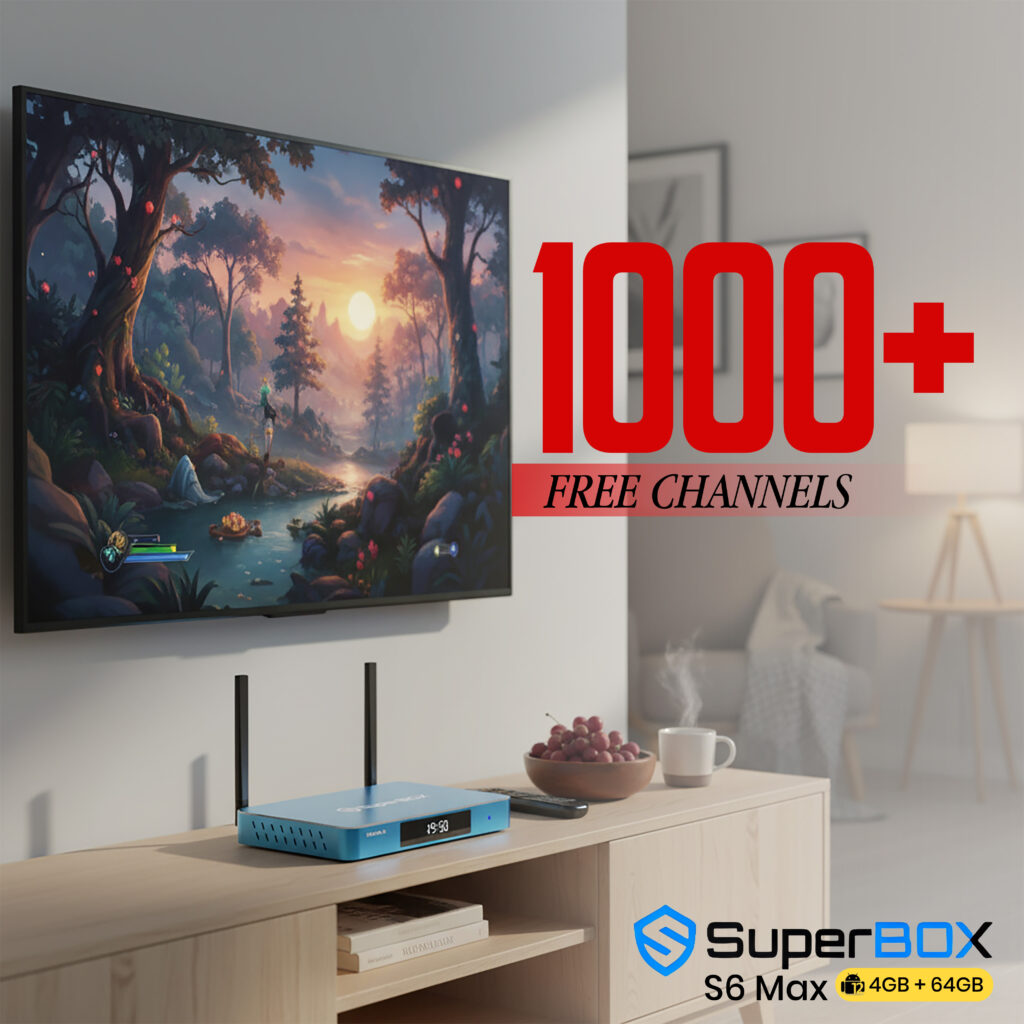
SuperBox sets the standard for stability in English-based Android TV boxes, delivering a premium home streaming experience. The latest addition, the SuperBox S6 Max, represents a premium edition of an IPTV box, equipped with:
Extended 7-Day Time Shift – Watch TV on your schedule.
Brand-New UI/UX Design – Modern, intuitive, and easier to use.
Parental Control – Manage and restrict content for family safety.
Voice Control – Hands-free interaction for ultimate convenience.
Type-C Charging & USB Ports – Convenient and fast connectivity options.
2T2R WiFi & WiFi 6 – Faster speed and greater connection stability.


Never Miss A Moment with SuperBox S6 Max
Time-Shift: Rewind Live TV Up to 8 Hours
Pause, rewind, and replay your favorite TV shows, sports events, or movies — your TV, your time. Enjoy complete control over your entertainment experience. Whether you’re catching up on the game or rewatching a show, SuperBox S6 Max gives you the freedom to watch on your schedule.
Key Features
8-Hour Rewind – Never miss a moment of live TV
Instant Pause & Replay – Take a break, come back whenever you want
Simple Setup – Plug & play within minutes
Stream 1000+ Channels – Entertainment at your fingertips
Voice Control – Hands-free TV operation
WHY CHOOSE US?
At MySuperBoxesTV, we focus on delivering authentic Superbox devices with a smooth buying experience tailored for customers in the United States.



FEATURED PRODUCTS
Discover the SuperBox S6 Max — The Ultimate TV Experience

S6 Max
$329 $263
- Time-Shift Function
- Parental Control Feature
- Android 12
- Upgraded Voice Command
- WiFi 6 Supported
- Quad-core ARM Cortex-A53 Processor
- 2T2R( 2 Transmitter, 2 receivers) antenna and 2.4G/5G Dual Band WiFi
- 4GB DDR3 Memory + 64GB eMMC Internal Storage
- Support 6K@60fps

S6 Pro
$299
- Time-Shift Function
- Parental Control Feature
- Android 12
- Upgraded Voice Command
- WiFi 6 Supported
- Quad-core ARM Cortex-A53 Processor
- 2T2R( 2 Transmitter, 2 receivers) antenna and 2.4G/5G Dual Band WiFi
- 4GB DDR3 Memory + 32GB eMMC Internal Storage
- Support 6K@60fps

S7 Max
$399
- Extended Time-Shift Function
- Brand-new UI/UX Design
- Type-C Charging & USB Ports
- Android 12
- WiFi 6 Supported
- Quad-core ARM Cortex-A53 Processor
- 2T2R( 2 Transmitter, 2 receivers) antenna and 2.4G/5G Dual Band WiFi
- 4GB DDR3 Memory + 64GB eMMC Internal Storage
- Support 6K@60fps

S7 Pro
$359
- Extended Time-Shift Function
- Brand-new UI/UX Design
- Type-C Charging & USB Ports
- Android 12
- WiFi 6 Supported
- Quad-core ARM Cortex-A53 Processor
- 2T2R( 2 Transmitter, 2 receivers) antenna and 2.4G/5G Dual Band WiFi
- 4GB DDR3 Memory + 32GB eMMC Internal Storage
- Support 6K@60fps
How to set up a SuperBox in Minutes
If you’re searching for a powerful yet easy-to-use media streaming device, the Superbox Media Streamers are worth considering. With the Superbox Android TV product range, which includes the newest model, you can view thousands of live TV channels, movies, sports, and more without having to pay for cable. Additionally, you can utilize voice control to just talk to your TV box and access over 500,000 apps on the Google Play Store.
What is the Superbox’s setup process like, though? The response is really simple! To utilize this box, you don’t need to be tech-savvy. All you need is an internet connection and a TV with an HDMI connection. These are the easy actions you need to take:
Step1: Get Connected
1. Insert the power adapter into both the wall outlet and the box.
2. Attach the HDMI cord to the TV from the box.
Step2: Power On
3. Select the HDMI input source after turning on your TV.
4. Press the power button on the box or the remote to turn on your Superbox.
Step3: Set-Up Guide
5. Select the scale for your display.
6. Connect your Wi-Fi or Ethernet wire according to the directions on screen.
Step4: Premium Apps
7. Choose Apps and launch the App Store.
8. Install the premium apps.
9. Launch the newly installed apps and download the catalog.
Step5: Enjoy Watching
And that’s it! With just a few minutes of setup, you can experience the benefits of smart TV and stream media on a large screen with your Superbox. With only one click, you can launch apps and navigate the interface by using the voice control feature. Moreover, you can watch live TV channels and sports events that you missed over the previous seven days by using the Playback app.
Free shipping
24/7 Support
Easy Returns
Secure Payments
Frequently Asked Questions
What is a Superbox?
Does The Superbox Stream 6K?
Where Do I Buy a Superbox?
How Fast is Shipping?
Can I Get a Refund?
What Are The Key Features of a Superbox?
Is The Superbox Compatible With Any TV?
How Do I Activate My Account?
Is There a Warranty?
What Our Customers Say
Super fast shipping.


